
Fixture Calendar Imports
The Isis CC Datastore and Website system now generates an iCalendar file (a universal plain-text file with a .ICS extension used to store and share digital calendar events) each time the club website is published. From this you can automatically load fixtures into your personal desktop and phone calendars. You do this by either subscribing to the file to receive regular updates (recommended), or perform a one-off download and import fixture events as a one-off copy.
The iCalendar contains fixtures for the current season only. Once a match is completed and the result is published to the website, your calendar subscription will reflect the fixture as completed and show the result when your personal calendar is refreshed . Completed matches stay in your calendar application unless you remove them manually.
Subscribe (Recommended)
Subscribing means your calendar application will automatically check for fixture updates from time to time. If a fixture is rearranged or a new fixture is added, when the change is published to the website the changes will appear automatically in your personal calendars without you needing to import the calendar again. Calendar applications decide for themselves how often they check for updates, so changes may take a few hours (or occasionally until the following day) to appear. The frequency of the refresh is controlled by your calendar application, not the file.
The iCalendar URL is https://www.isiscc.org.uk/assets/calendar/isiscc-fixtures-current.ics
One-Off Import
A one-off import copies the current fixtures into your calendar, but future changes and updates will not be reflected automatically. So if you use this method and fixtures or statuses change, you will need to manually remove existing fixtures and reimport the iCalendar again to see the current fixture list in your own calendar application. To download the .ICS file click the iCalendar link below:
I have produced guidelines to set up a subscription or do a one-off download in the document below. This is correct to the best of my knowledge, but do consult help pages in your own personal calendar software or promt an AI application if these are inaccurate. Reach out to me at keithwhiter@btinternet.com if you need extra support or want to give feedback.
Example Events (through subscription)
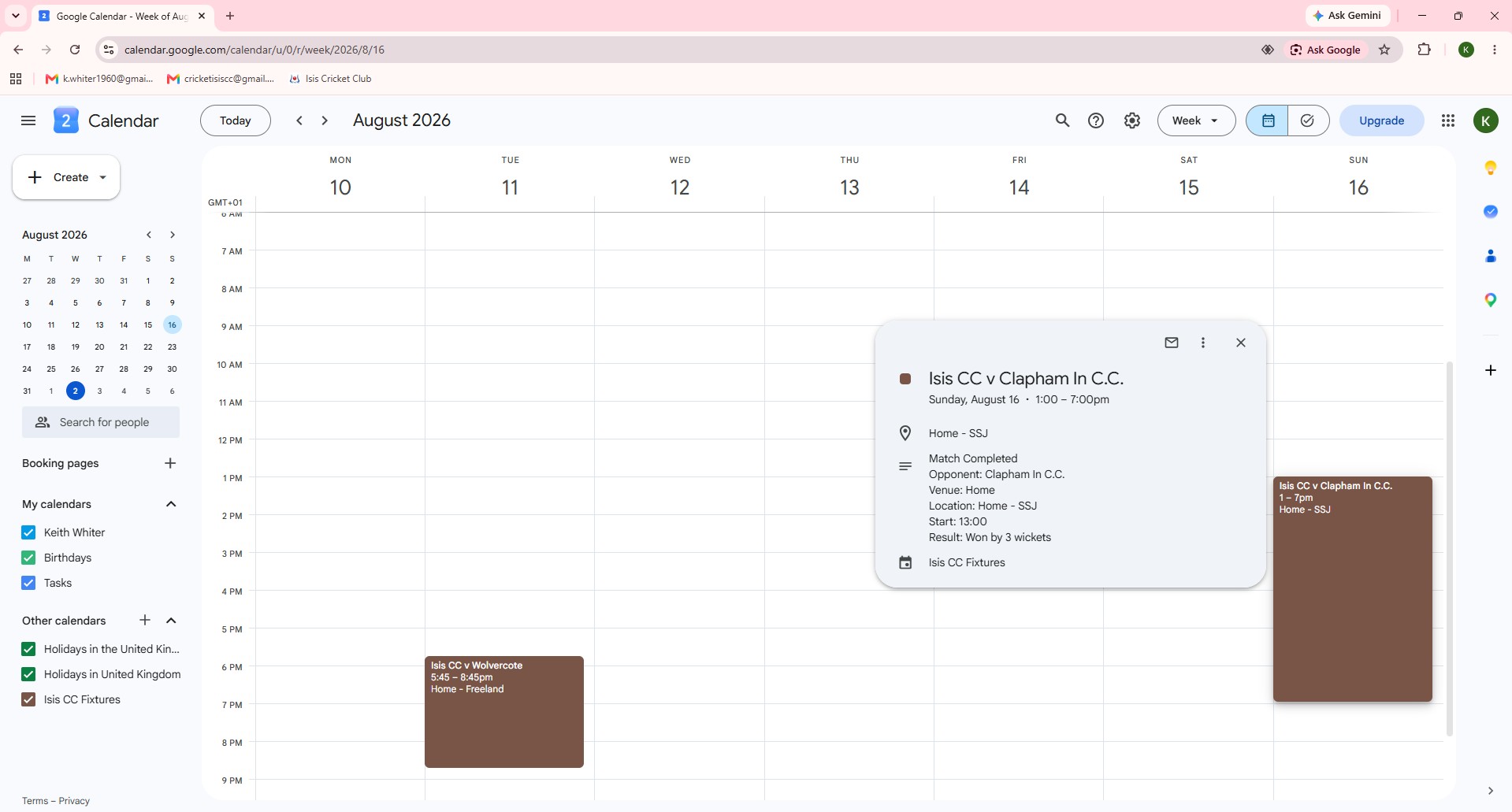
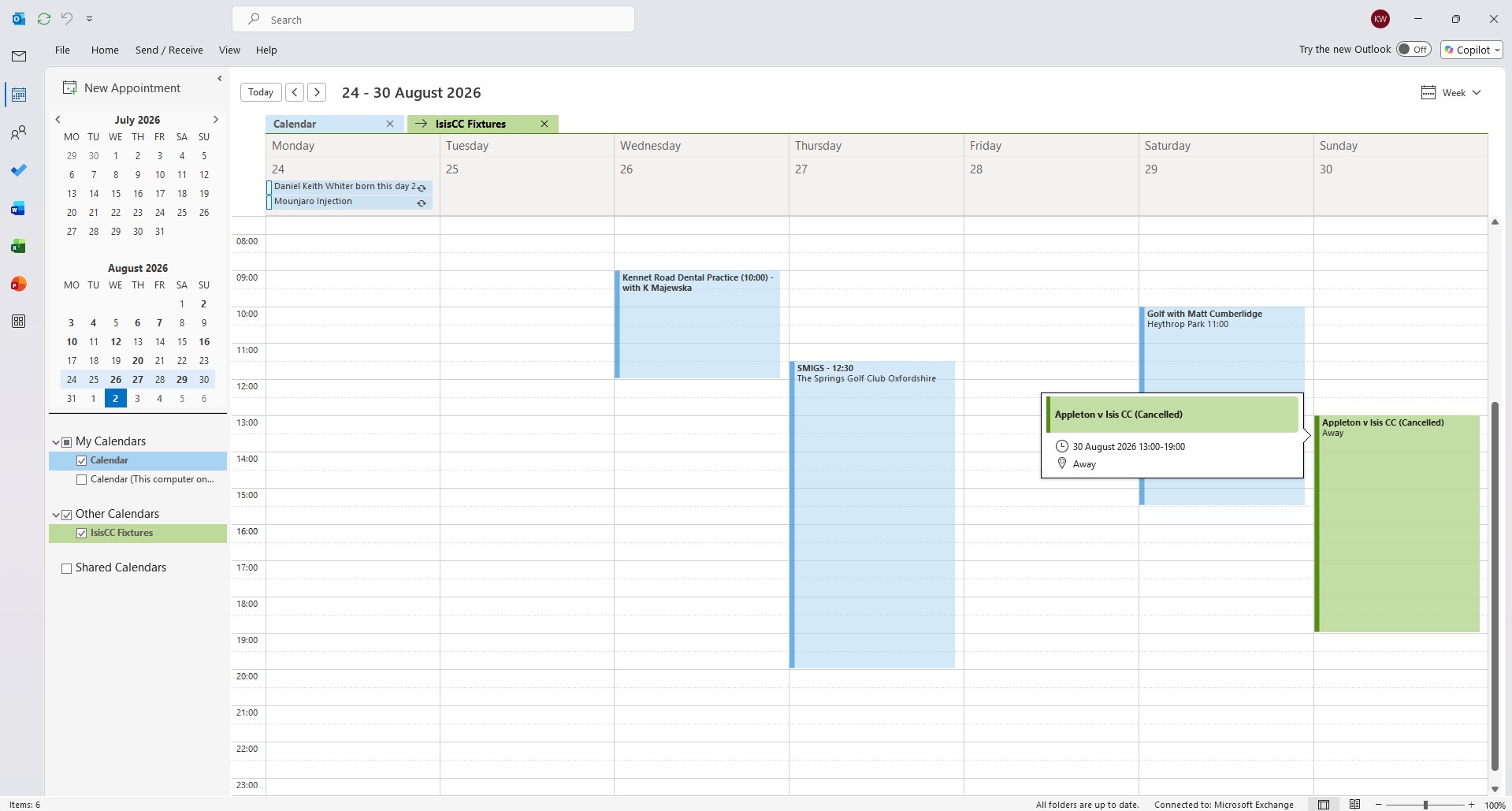
Here are examples of events after subscribing in both Google and Outlook. In the first, I have clicked on the event and you will see the updated "description" showing the result. The second example shows that for cancelled matches the 'summary' event title is updated accordingly (right-click on image and "open image in new tab" to view full-screen)
Site Directory
About Isis Cricket Club:
Last Published: 04-10-2026 10:21

